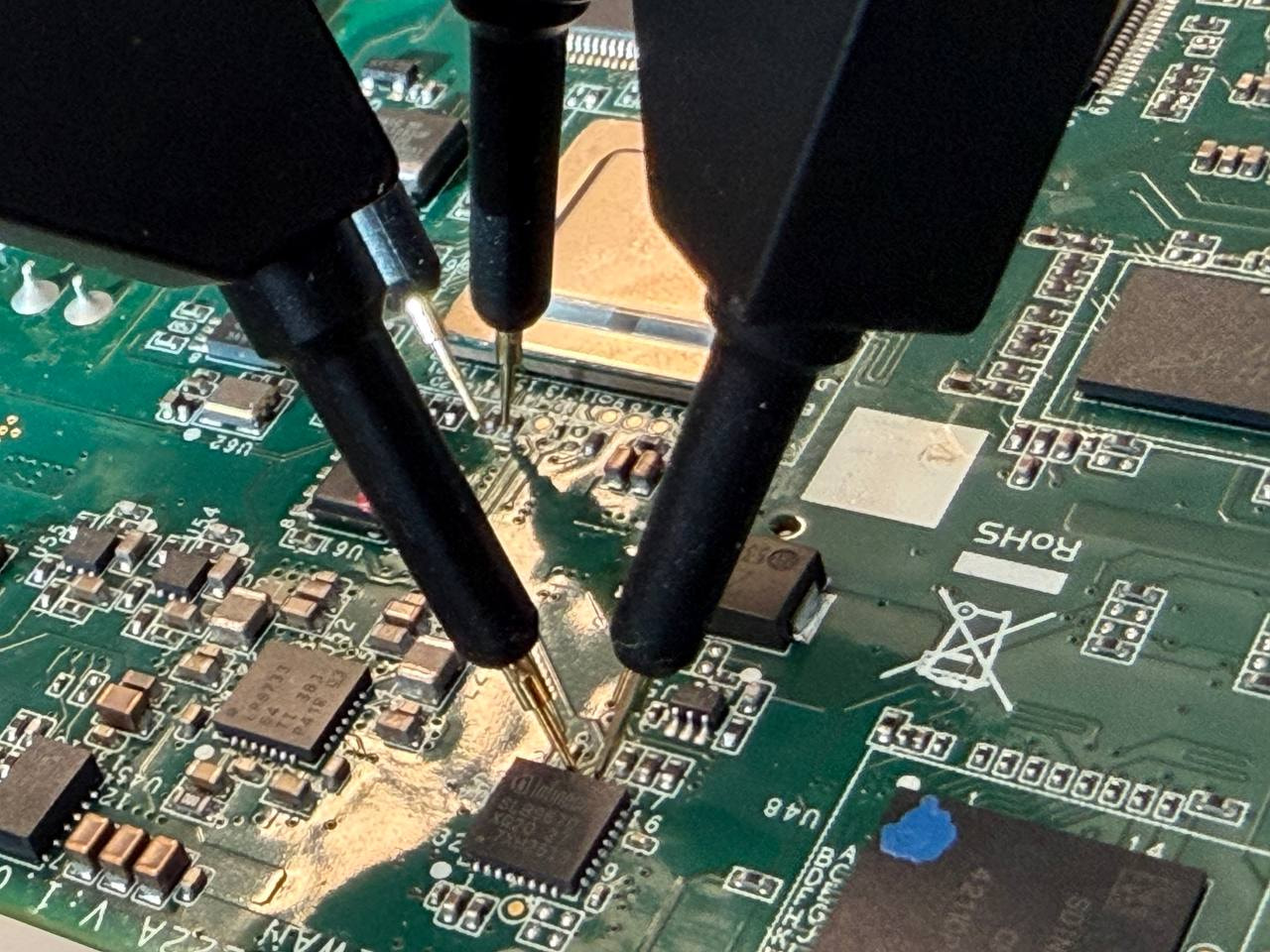
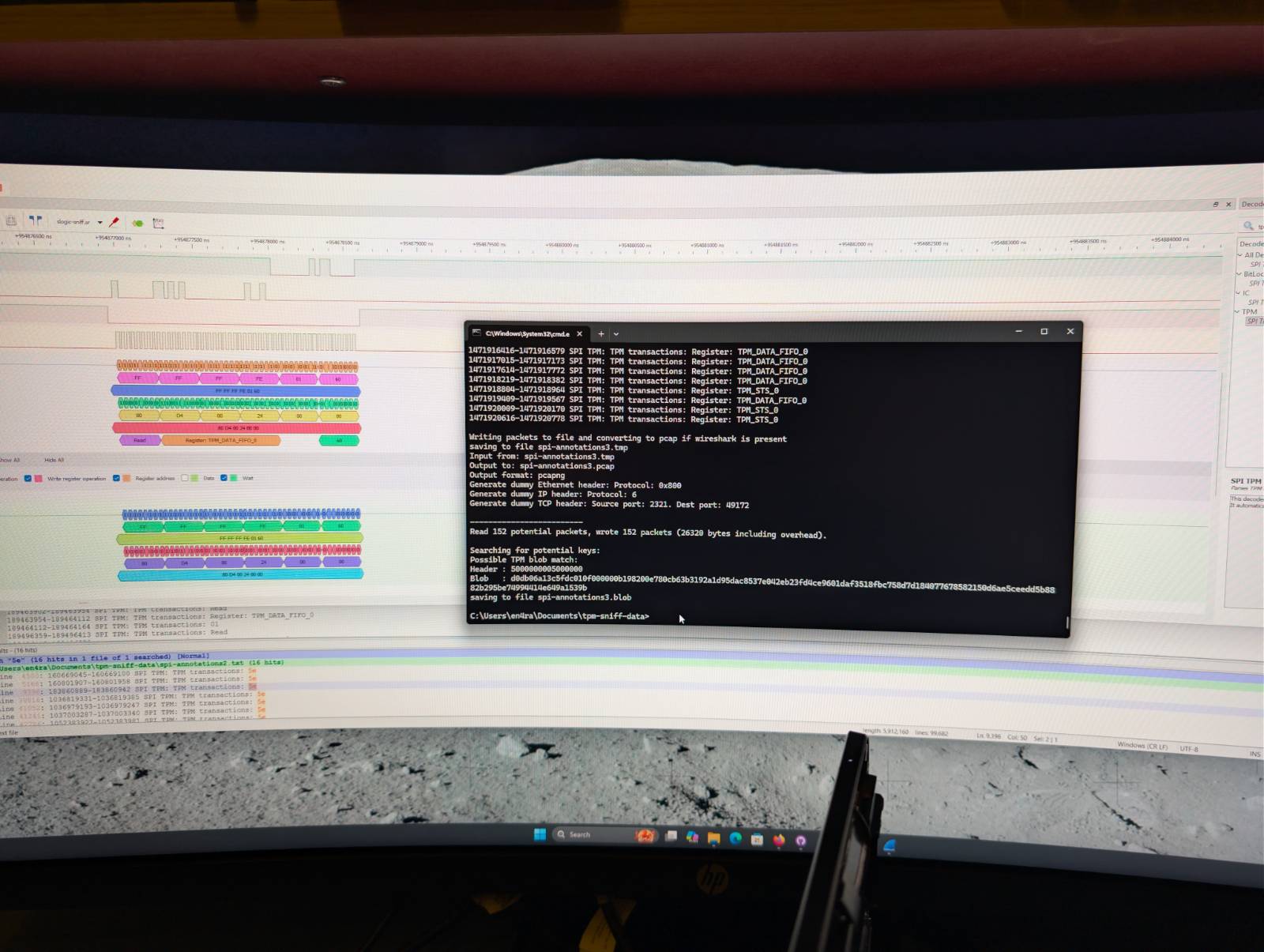
Here is a good example, that like Windows systems (link 1, link2, link3), Linux devices using TPM can also be vulnerable to TPM sniffing attacks through SPI (No way!):
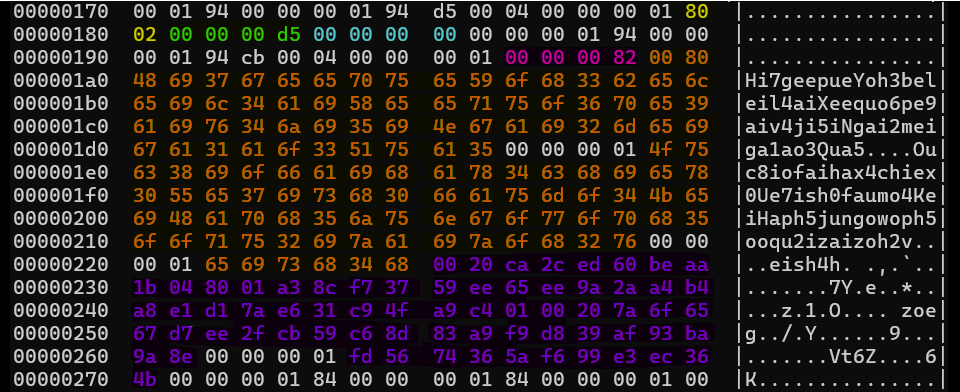
Compared to Windows BitLocker that uses command 0x00000158 for TPM2_Unseal,LUKS on this Moxa device uses 0x0000014E for TPM2_NV_Read:
The key is stored directly in a TPM NV index, not sealed as an object like the Volume Master Key (VMK) in BitLocker
What comes back is the actual LUKS passphrase (here a 128-byte ASCII string), not an intermediate key, so a little more straight forward than decrypting the Full Volume Encryption Key (FVEK) with the VMK to finally decrypt the disk
PCR policy still gates access, but the mechanism is NV read authorization rather than unsealing
In this nice read, we can discover that the key (in orange) is directly joined after the policy-protected NV index using the TPM2_NV_Read command:
Which could probably inspire us for other devices in the wild
At the end, mitigating this issue is a bit complex even using bound sessions documented in the TCG CPU–TPM Bus Protection Guidance without a proper way to set a PIN or any user input mechanish, or having another component that would protect it. Salted sessions is still an option, but vulnerable to active attacks (example with TPM interposer: https://raw.githubusercontent.com/nccgroup/TPMGenie/master/docs/NCC_Group_Jeremy_Boone_TPM_Genie_Whitepaper.pdf)
This set of tools can be very handy to visualize as the post says but the GitHub README also mentions a script tool to convert the log to John so we may also use it to crack keys too
SPITkey.py: The central decryption tool. Supports all BitLocker protector modes: TPM-only, TPM+PIN, TPM+Key (BEK), TPM+PIN+Key, Recovery key, Password, and Startup Key. It parses dislocker -vvvv log output to extract metadata and encrypted keys, then decrypts the FVEK.
sigrok2pcap.py: Converts exported CSV data from PulseView’s libsigrokdecoder_spi-tpm stacked decoder into pcap format (via Wireshark’s text2pcap) and can extract VMK/Blob directly.
dslogic2pcap.py: Same conversion pipeline but for DSView’s SPI TPM protocol decoder (DSLogic hardware).
logic2pcap.py: Same pipeline for Saleae Logic2 using WithSecure’s “TPM SPI” analyzer plugin.
swtpm2pcap.py: Converts verbose logs from QEMU’s swtpm (software TPM emulator) — useful for testing/development.
blob2john.py: Extracts hash data from a sniffed TPM blob + dislocker log and outputs it in a format compatible with Hashcat, John the Ripper, or BitCracker for brute-forcing the PIN.
Blob2john was written as an example for a theoretical attack where someone had built an implant you could fit in a computer and catch the TPMandPIN blob when the user logs in. You could then recover this and crack the pin but i doubt it will ever be of use to anyone.
I recently tested Sipeed’s SLogic16U3 logic analyser which costs about £80. It seemed a bit fussy about USB ports as it didn’t like the usb-c port of my laptop but the usb-a port worked. I was sucessful in sniffing a test dell laptop in TPMandPIN mode.
So the cost of this attack is now as low as £80.
Excellent Robin! And already looking forward the end of the weekend to try that. I guess we can probably lower the cost using a RPi pico waiting for the TPM 2.0 commands from SPI instead of LPC like used in the pico-tpmsniffer and parsing.
On next rfswift.io image I will integrate your tooling which could be very handy and will soon be used. I hope also people will be able to contribute after watching it and improve it over the time. I need to split it to propose your libsigrokdecoder_spi-tpm for people just wanting to analyze with DSView and so.
I came also across that link which parses an hex blob so you can also use just the browser if you want to check something: tpmstream